
We are excited to inform you that we have launched an in-app support system to ensure that it is easier for a salesperson to contact our customer success team for any queries, concerns or reporting a bug.
You may access the in-app support via SalesCandy Mobile App.
Kindly follow the guide below:
✵ Open your SalesCandy Mobile App
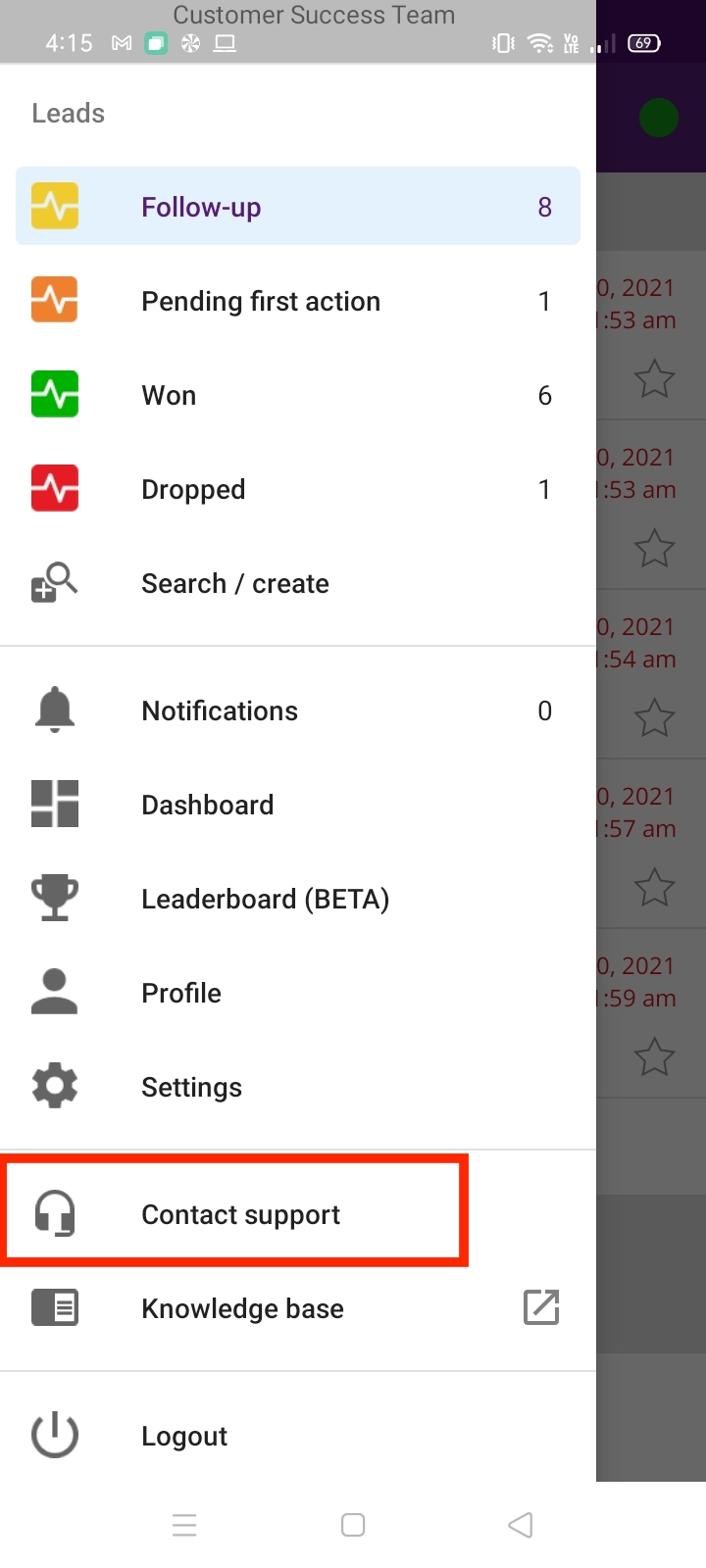
✵ Click on Contact Support.
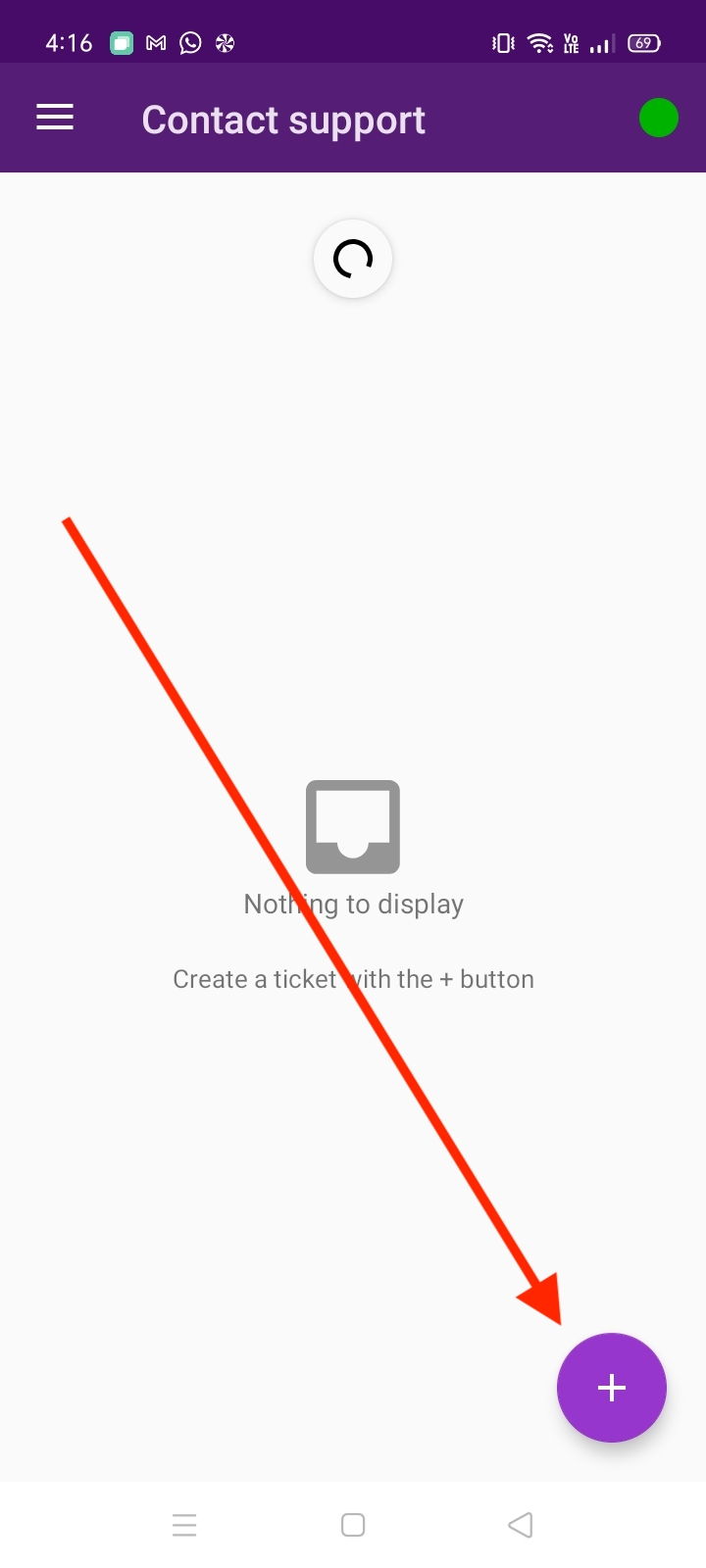
✵ Proceed with clicking on the + sign icon on the bottom right-hand corner of your screen.
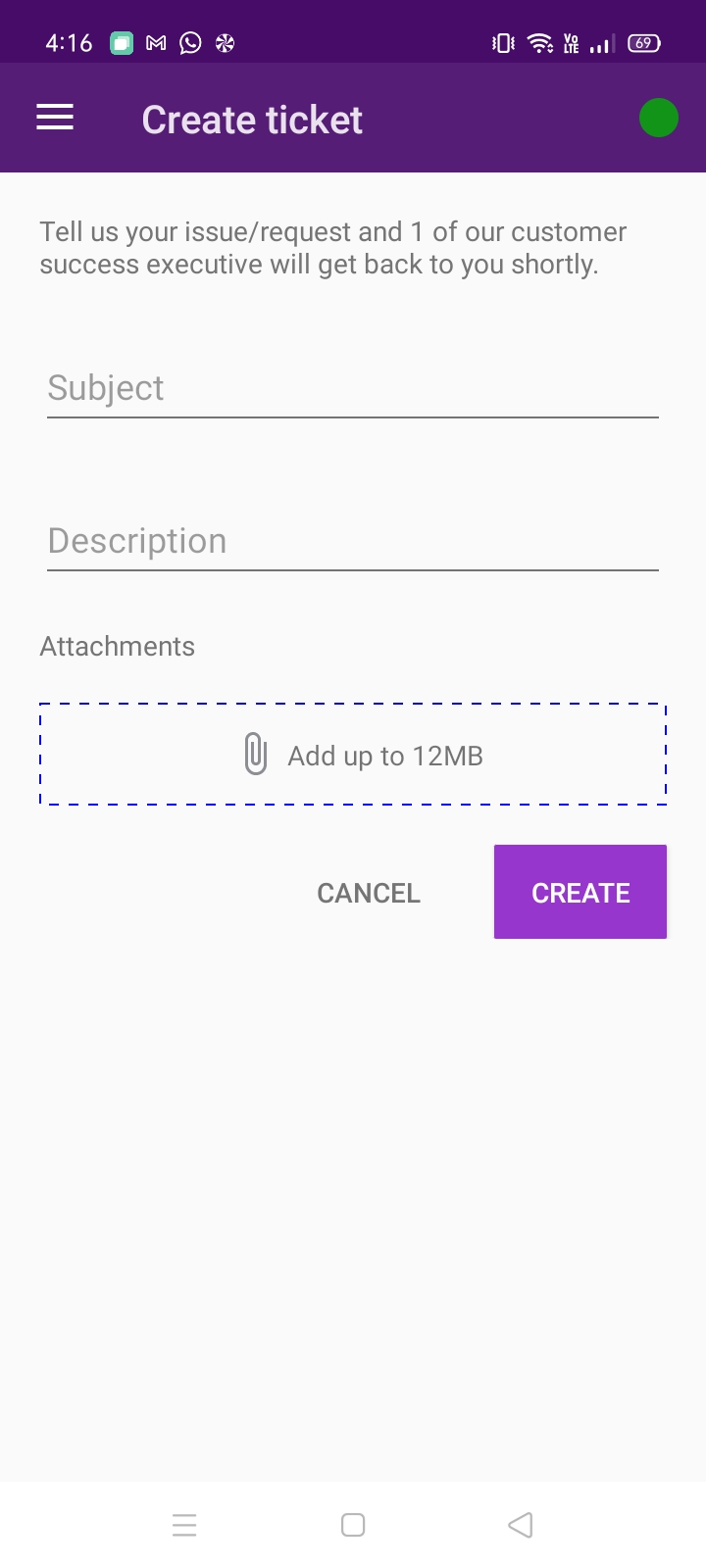
✵ Fill in all the details required related to concerns or queries.
✵ You may attach photos, documents and videos to the ticket to up to 12MB.
✵ Click create and the ticket is submitted to our Customer Success Team.
✵ After you have completed creating your ticket, it will appear as below;
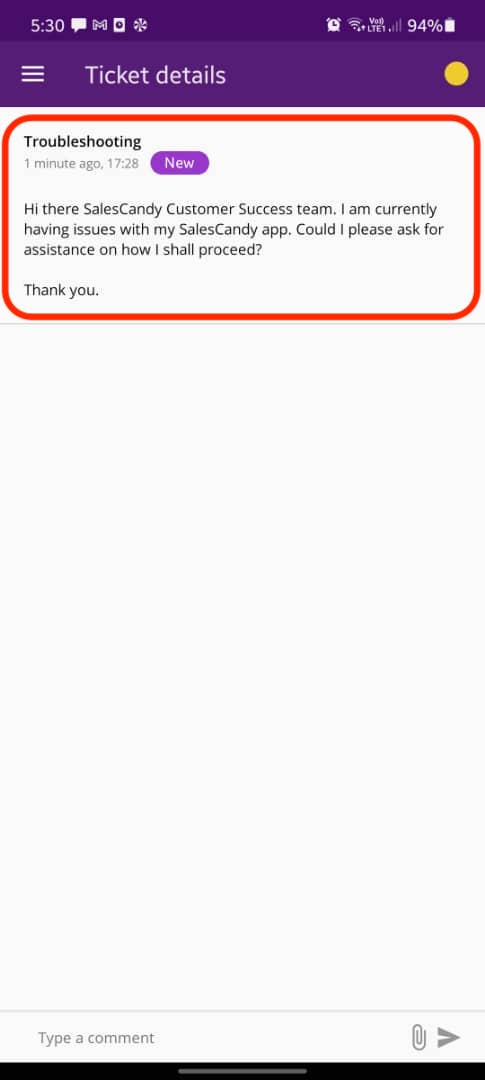
✵ Users may find their submitted tickets under Contact Support, in your inbox.
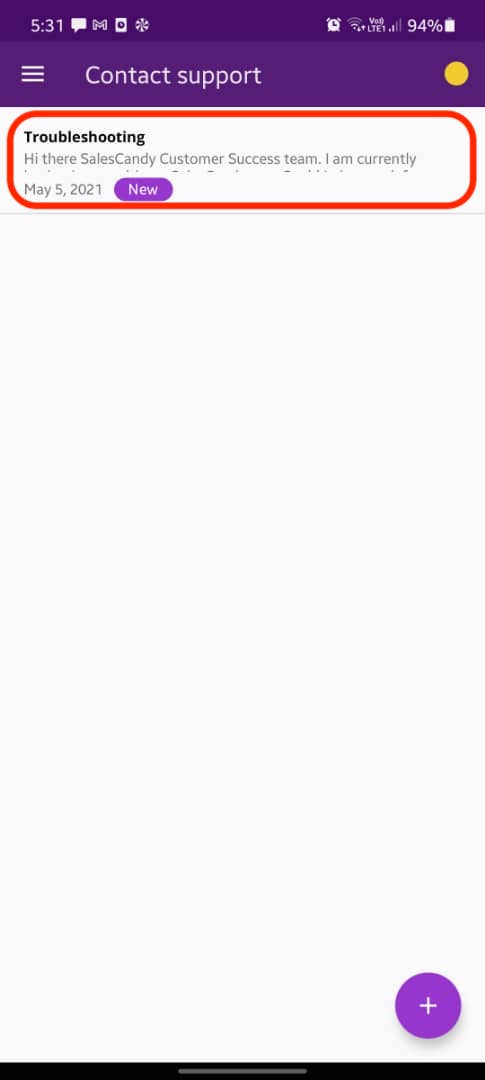
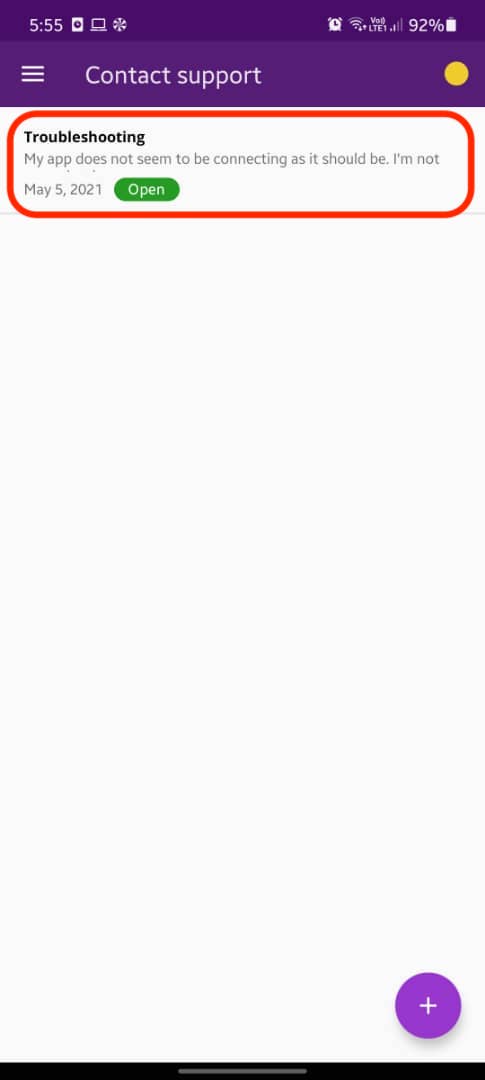
✵ As soon our Customer Success Executives has responded to your ticket, you will receive a notification and you can view your ticket in your SalesCandy Mobile App, under Contact Support.
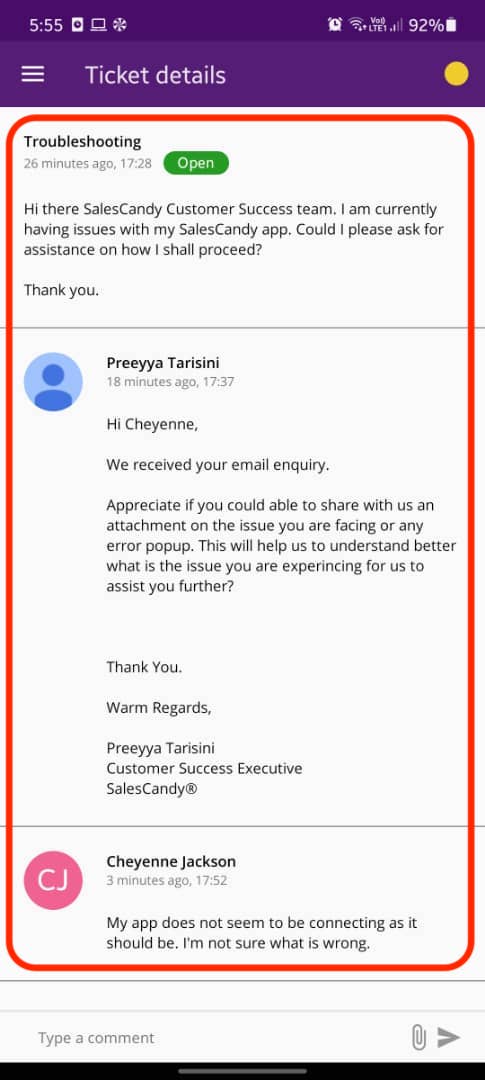
✵ Click on the ticket and you can respond to our support team.
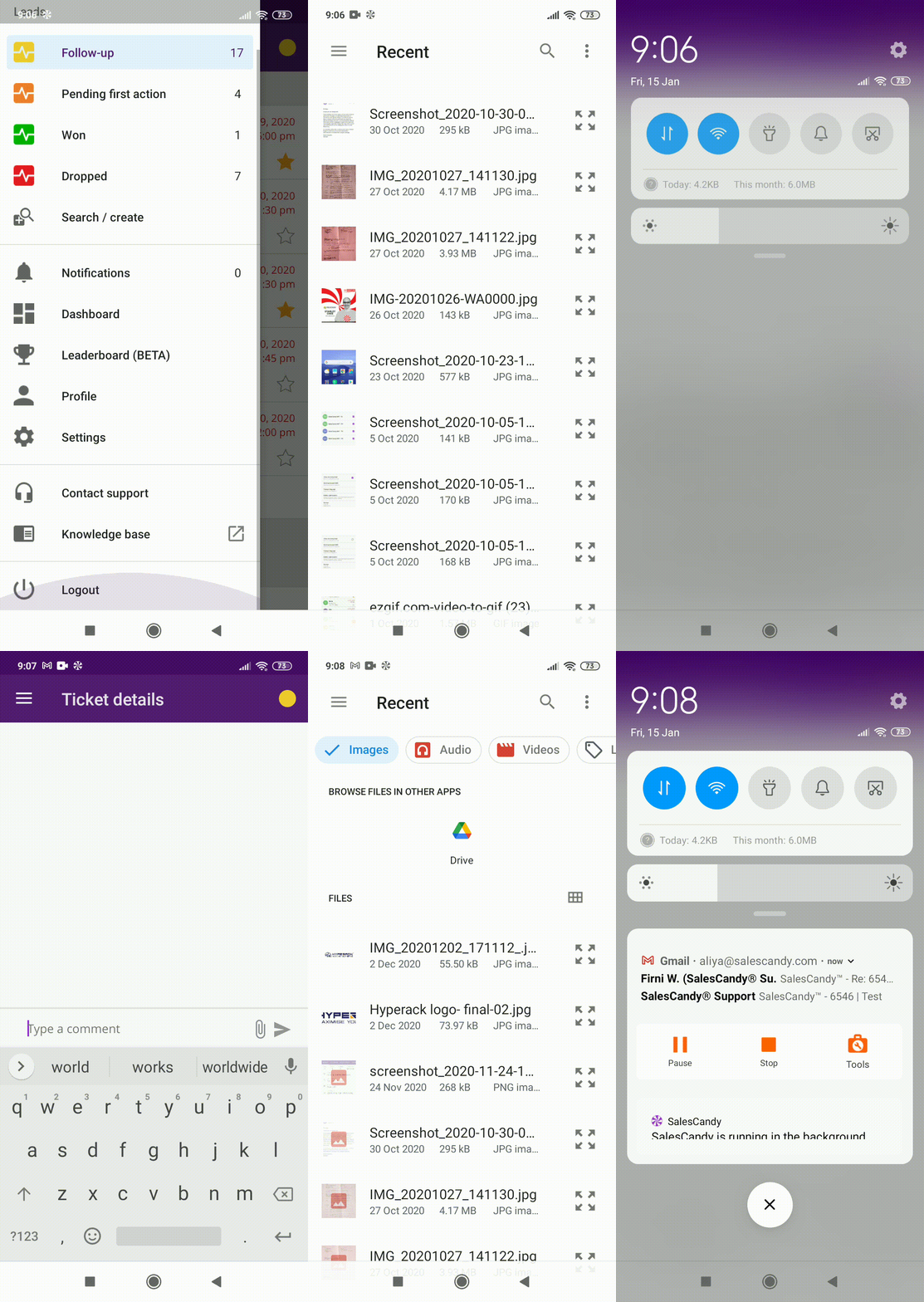
■ Here's a short in-app support video on how the process would be for your reference;
Comments
0 comments
Please sign in to leave a comment.